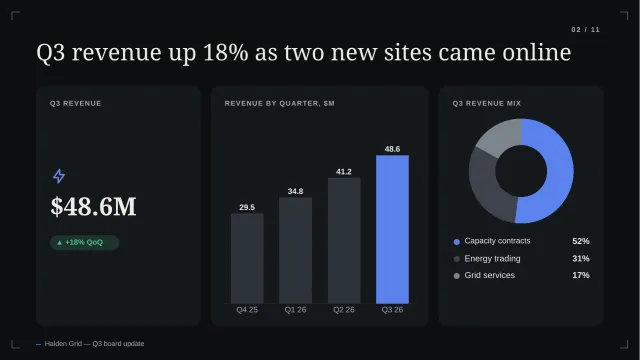

01 · Smart slide
Reorder anything
Change the order and every photo, name and caption re-flows into place.
Examples
Every slide on this page was generated by the product from an illustrative brief. Open a deck to step through all of its slides.
Illustrative content. These decks were generated by the product from example briefs. The companies, people and numbers in them are fictional.
Showing 8 decks
Before and after
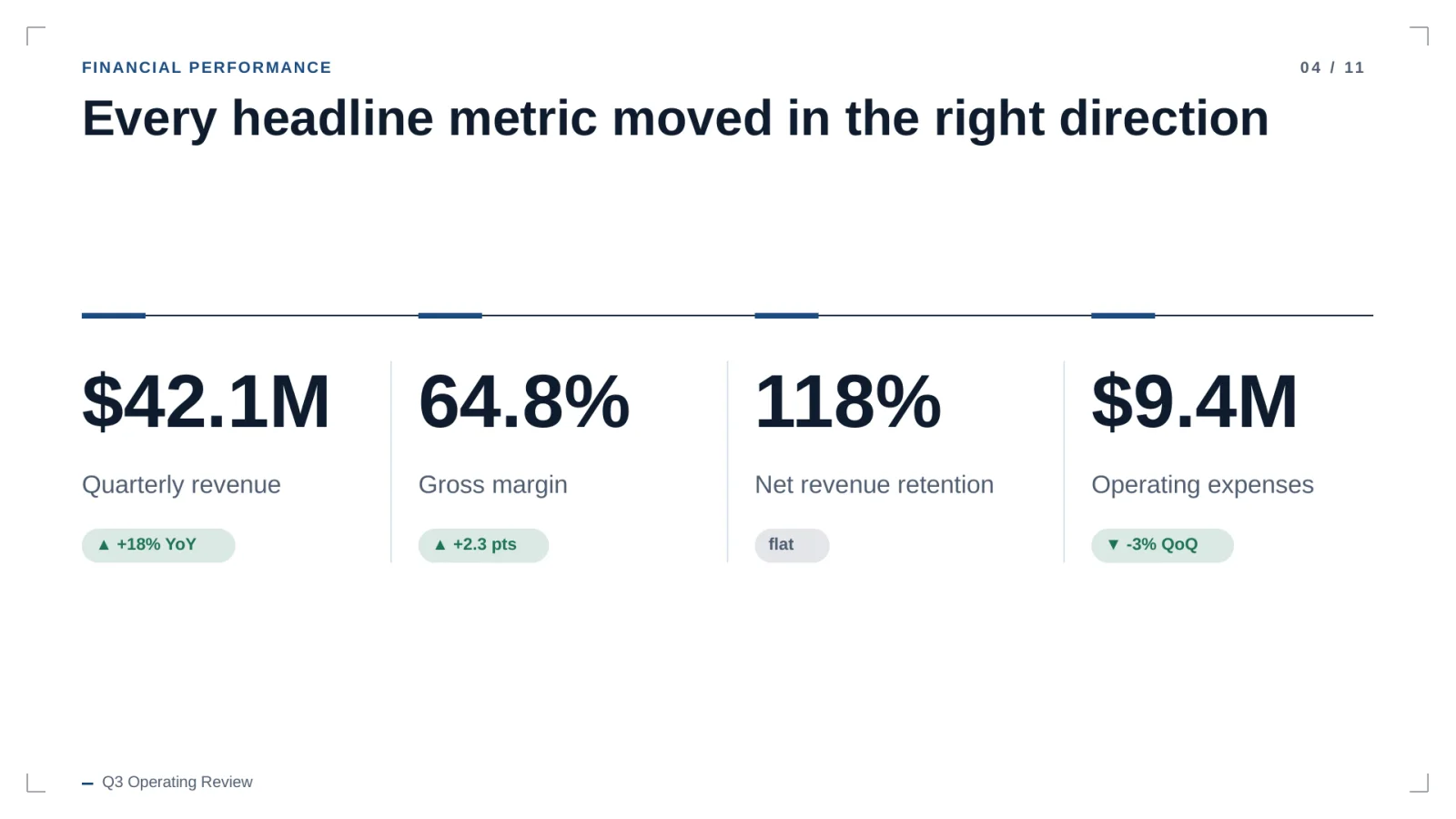
The notes are the kind of input a brief provides. The slide is unedited output. Drag to compare.
Your notes
Q3 numbers — board
rev 42.1 (vs 35.7 LY)  +18%
GM 64.8%, up 2.3pts — hosting costs down
NRR 118% even w/ 2 churned enterprise accts
opex 9.4, down 3% QoQ
→ want to show every headline metric improved
Drag the handle, or focus it and use the arrow keys
Smart slides
Change the order, the layout, the chart or the theme and the engine lays the slide out again, measured and native.
Shown: automatic re-layout from real engine output. Cursor and captions are illustrative; the in-app editor is in development.
01 · Smart slide
Change the order and every photo, name and caption re-flows into place.
02 · Smart slide
The same metrics in four layouts, with spacing and type re-measured each time.
03 · Smart slide
Column, bar or doughnut from the same embedded data. Labels and legend follow.
04 · Smart slide
Switch the theme and the slide re-renders in the new palette, still fully native.
Native PowerPoint
Charts open with their data in PowerPoint's own editor. Tables are cells. Text wraps when you rewrite it.
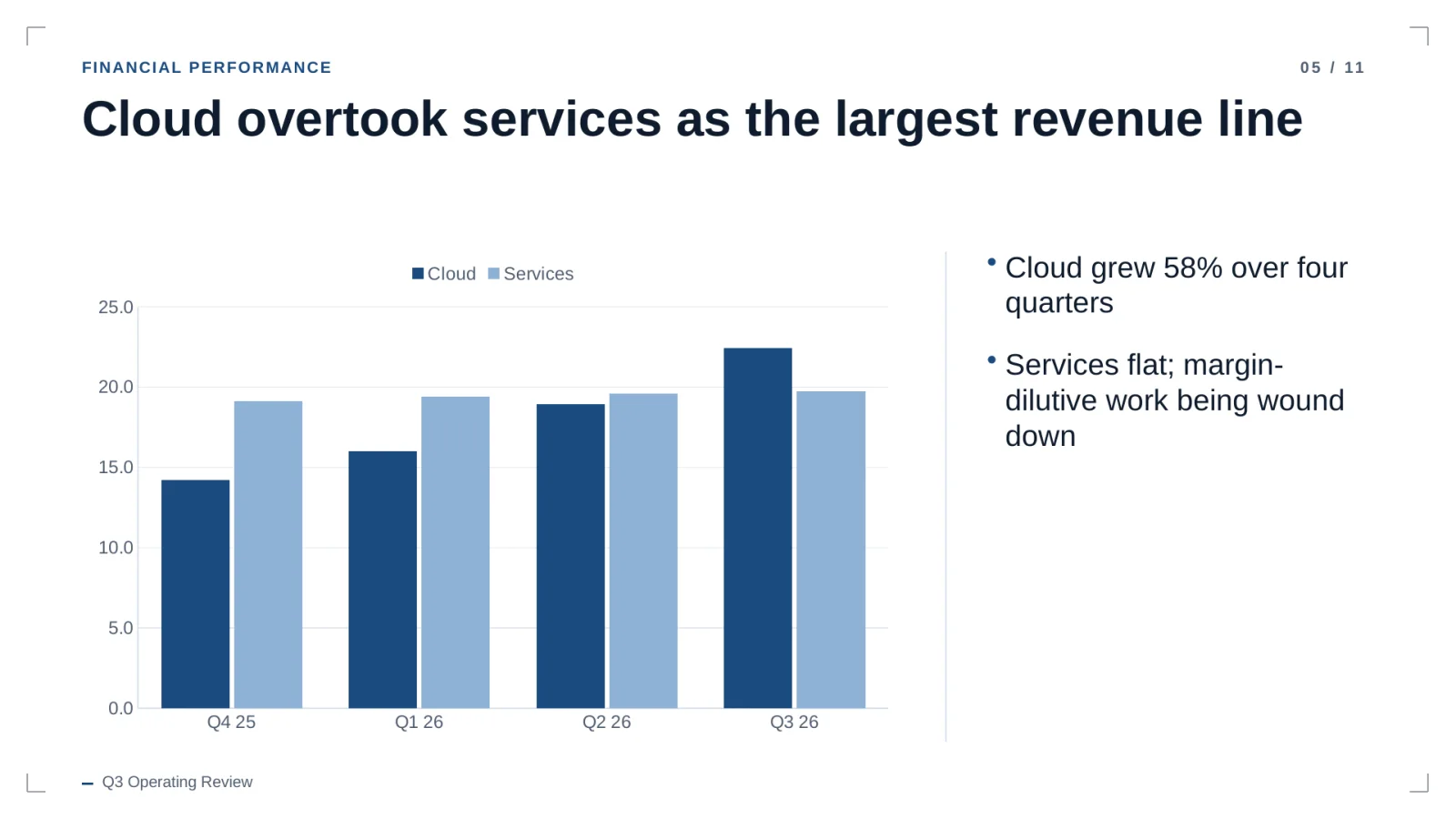
Objects on slide 5
Outline review
Edit, reorder or cut slides first. Removing slides lowers the price.
Measured layouts
Every line is measured before it's placed. Too long gets rewritten shorter, never shrunk.
Sources and numbersIn development
Figures from your documents keep the page they came from. Untraceable numbers get flagged.
20 free credits. No card. Review the outline before anything is generated.