
For finance and operations
Board packs are rebuilt every quarter. Make next quarter an edit, not a rebuild.
Quarterly reviews follow the same shape with new numbers. Give the results and the decision you need, approve the storyline, and get tables and charts you can update in place.
How it fits your workflow
Three steps, and you stay in control.
Nothing is generated, and no credits are spent, until you approve the outline.
- Step 01
Bring the numbers
Paste the quarter's results, the P&L summary and the recommendation you want the board to approve.
- Step 02
Approve the structure
Review the outline: summary, metrics, revenue mix, P&L, trade-offs and the decision requested. Cut or add before generating.
- Step 03
Update in place
Download a .pptx whose tables are real cells and whose charts carry their data, so the next quarter starts from this one.
Example decks · Signal and Harbor themes
From an example board update and quarterly review.
Generated from illustrative briefs. The companies and their numbers are fictional.
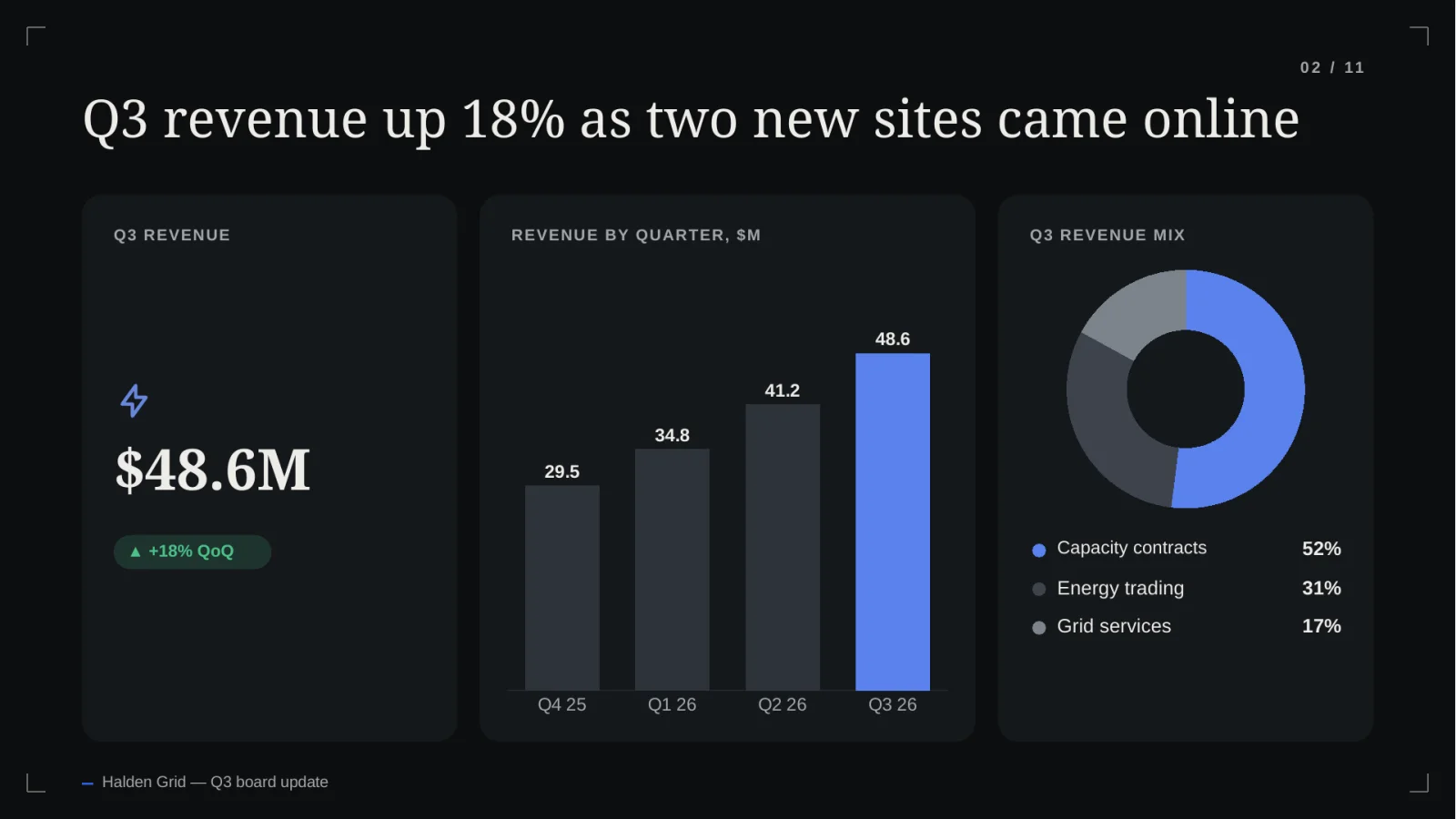
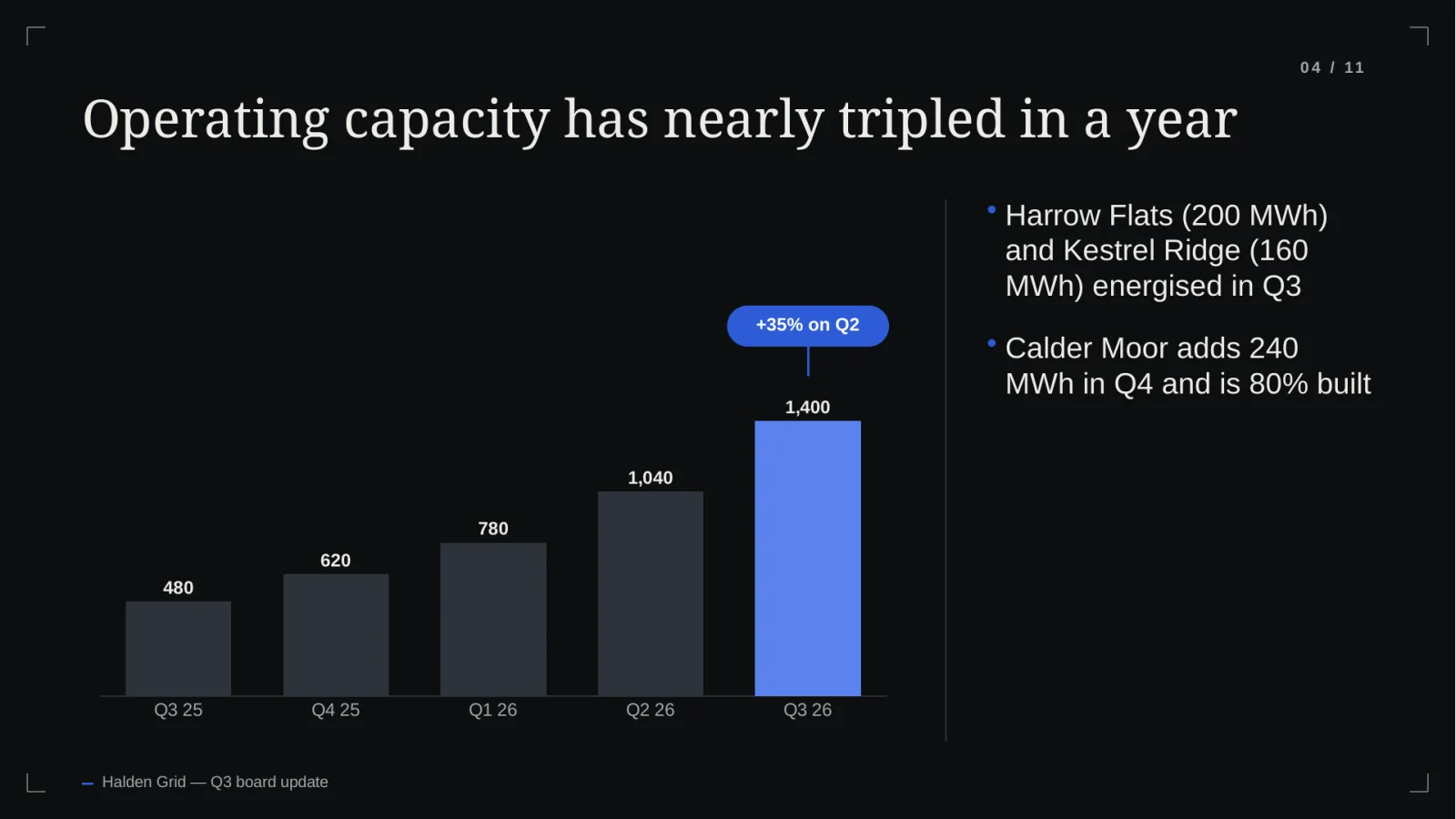
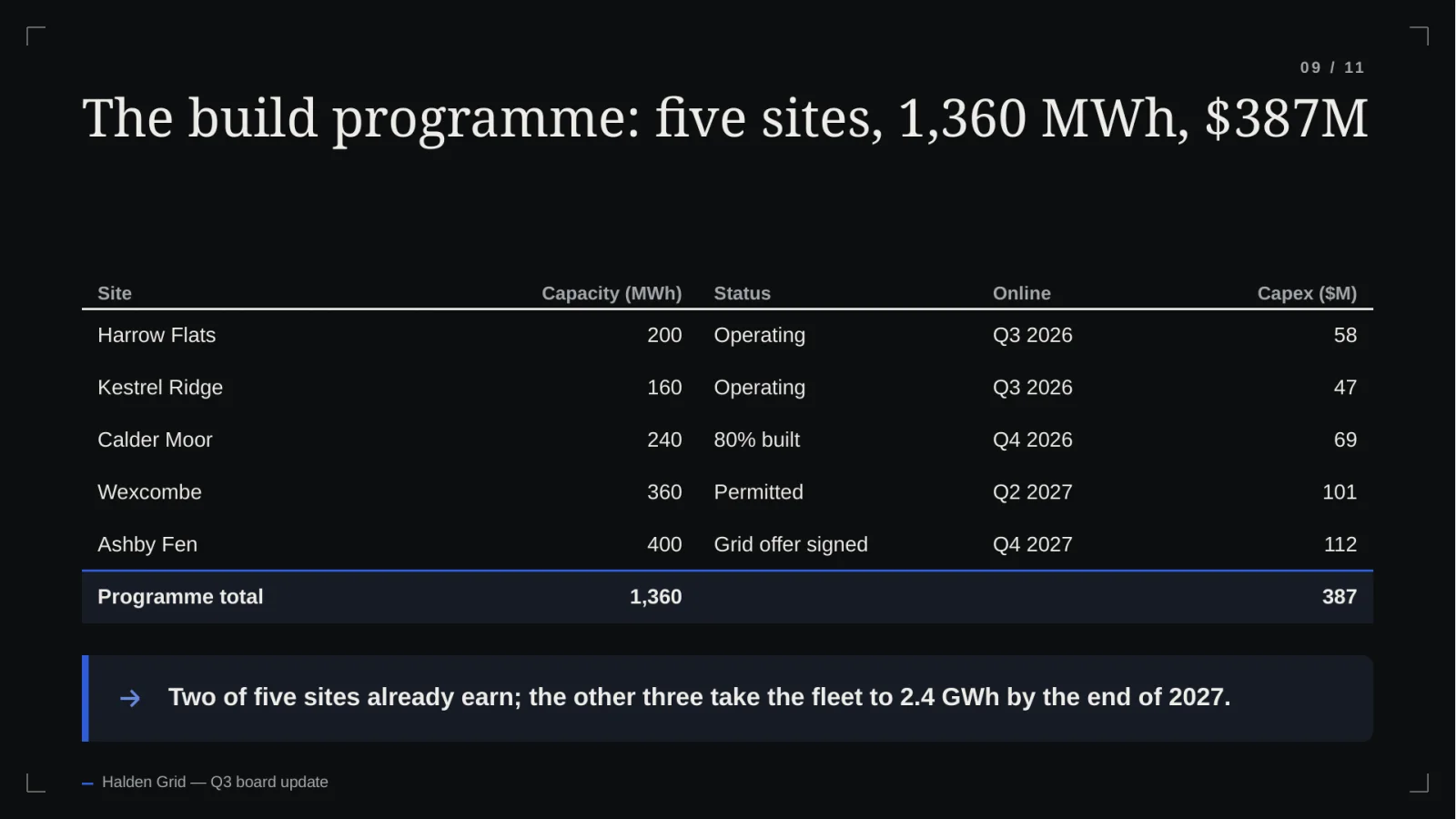
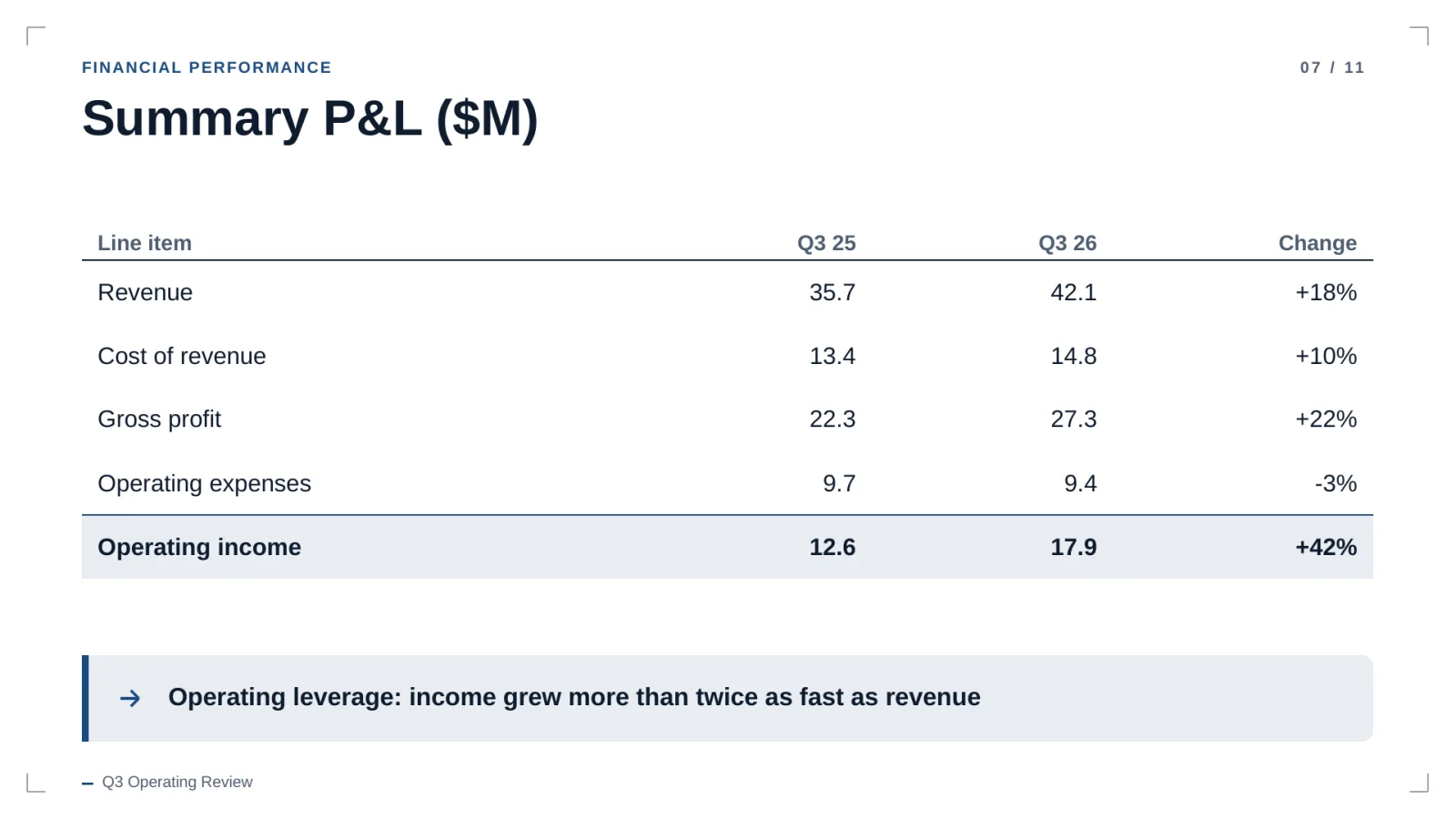
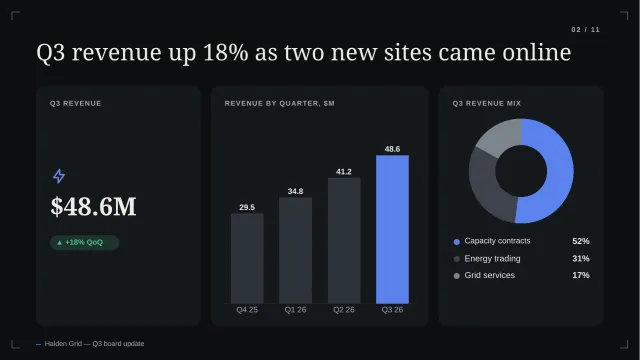
Illustrative content generated by the product. Companies and numbers are fictional.
FAQ
Questions, answered plainly.
Are the tables real tables?
Yes. Tables are native PowerPoint tables made of cells, with numeric columns right-aligned, so you can edit or extend them after download.
Will it change my numbers?
Slides are built from the figures you provide. Source checking that ties every figure to a page in your uploaded documents is in development.
Can I keep the same look every quarter?
Yes. Pick the same built-in theme each time. Brand kits with your own fonts and colours are planned.
Where is financial data stored?
In private storage, isolated per workspace with row-level security, and reached only through the app's authenticated download route.
Also built for
Draft this quarter's review from your numbers.
20 free credits. No card. Review the outline before you spend any of them.